
There is no A Big Candy app in the App Store or Google Play, and the casino does not offer a downloadable APK. Instead, the full casino runs in the mobile browser on iPhone, iPad and Android: the same Inclave login, the same AUD cashier, all RTG pokies and every bonus code work exactly as on desktop. For app-style access, the site can be added to the home screen in a few taps, which creates an icon that opens the casino directly. Any file offered as an "A Big Candy APK" on a third-party site is not from the casino and should not be installed.
This guide covers how to open A Big Candy on a phone, how to create the home screen shortcut on iOS and Android, what works on mobile, how deposits and withdrawals look in AUD and which settings make mobile play smoother.
| Feature | Mobile browser details |
|---|---|
| Download required | No - runs entirely in the browser |
| iOS access | Safari, Chrome or Firefox |
| Android access | Chrome, Firefox or any up-to-date browser |
| Home screen shortcut | Available on iOS and Android |
| Game catalogue | Around 270 RTG titles - identical to desktop |
| AUD deposits and withdrawals | Full cashier, deposits from AUD 30, withdrawals from AUD 100 |
| Bonus access | All coupon codes, cashback, daily spins and VIP rewards |
| Leaderboards | Monthly competitions and The Grand Table available |
| Live dealer games | Not offered on any platform |
| Security | SSL encryption - same as desktop |
| Updates | Automatic - no manual updates needed |
Is there an A Big Candy app for Android or iOS?
No. A Big Candy has not released a native app for either platform, and neither the App Store nor Google Play lists an official A Big Candy casino app. All RTG games at the casino are built in HTML5, which means they run directly in a browser without plugins, so a separate app is not needed to play.
The lack of an app has a practical upside: there is nothing to download, no storage used on the phone and no updates to install. Every new pokie and every change to the promotions page appears in the mobile version at the same time as on desktop.
How to access A Big Candy on mobile
Opening the casino on a phone takes the same steps as on a computer.
- Open Safari, Chrome or Firefox on the phone or tablet.
- Go to abigcandyau.org - the address forwards to the current working mirror.
- Tap LOGIN to sign in with the Inclave account, or SIGN UP to register.
- Use the bottom navigation bar to switch between the lobby, pokies, promotions, VIP club and tournaments.
- Open the menu in the top-left corner for the full list of sections, including Banking and Support.
How to add A Big Candy to your home screen
A home screen shortcut is the closest thing to an A Big Candy app. It looks like an app icon, opens the casino in one tap and always loads the latest version of the site.
iOS instructions (Safari)
On iPhone and iPad, the shortcut is created through Safari's share menu.
- Open abigcandyau.org in Safari.
- Tap the Share icon (the square with an arrow pointing up).
- Scroll down and tap Add to Home Screen.
- Keep the name "A Big Candy" or type another label, then tap Add.
- The icon appears on the home screen and opens the casino directly.
Android instructions (Chrome)
On Android, the shortcut is added from Chrome's main menu.
- Open abigcandyau.org in Chrome.
- Tap the three-dot menu in the top-right corner.
- Choose Add to Home screen (or Install app, depending on the Chrome version).
- Confirm the name and tap Add.
- Drag the icon to the preferred spot on the home screen.
Features available on mobile
The mobile site is not a cut-down version - every section of the desktop casino is available.
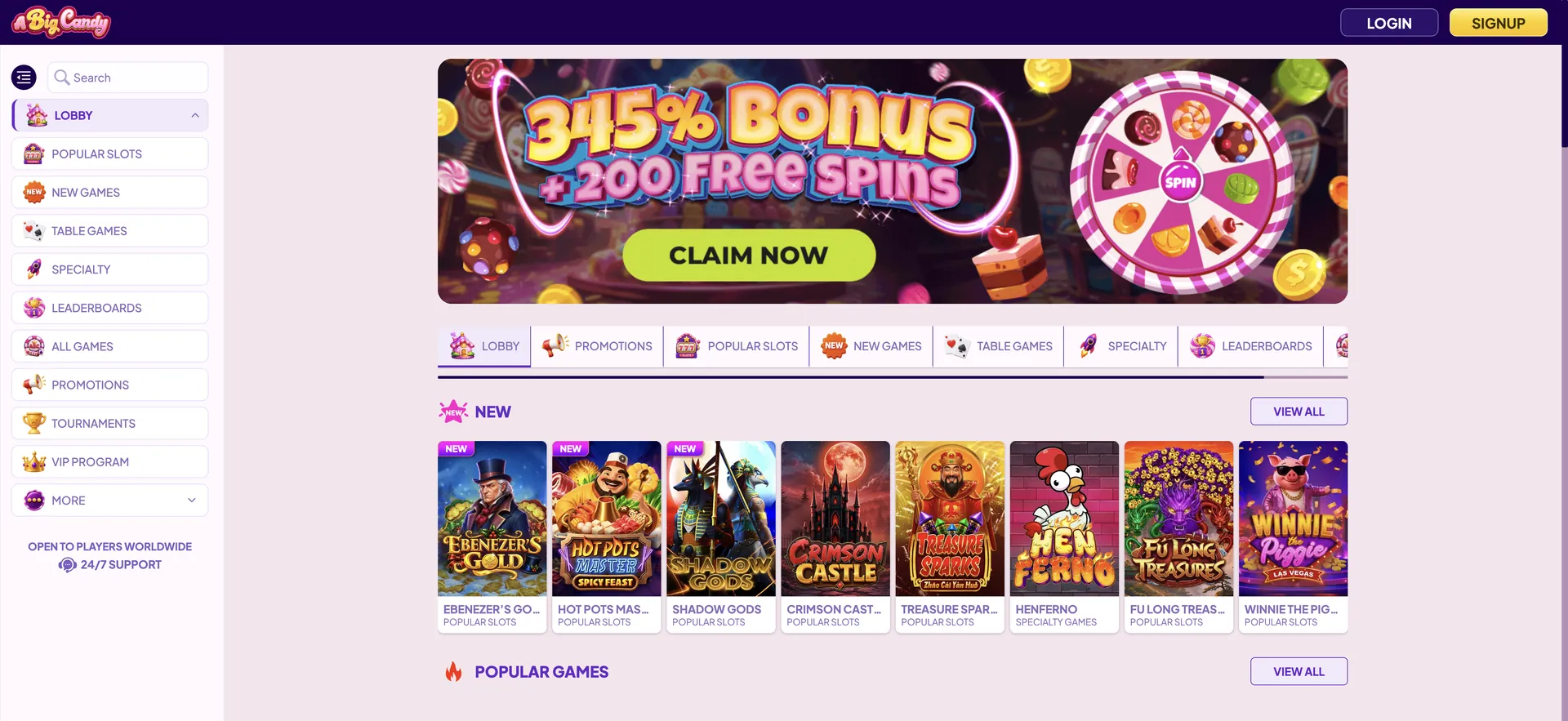
- Pokies: around 236 RTG pokies, including progressives such as Aztec's Millions and Megasaur.
- Other games: 15 video poker variants, 10 table games and 11 specialty games such as Galaxy Blast and Keno.
- Cashier: deposits via card, Neosurf, Apple Pay, Google Pay, Bitcoin, Ethereum and Litecoin; withdrawals via bank transfer or Neosurf.
- Bonus codes: CANDY345, FREECANDY and every other coupon entered in the mobile cashier.
- Coupons tab: active bonus, wagering progress and the option to cancel a bonus.
- Loyalty dashboard: comp points, VIP level and Refer a Friend link.
- Leaderboards: monthly competitions and The Grand Table standings.
- Live chat: 24/7 support for logged-in players.
Performance on mobile
Because the mobile version runs on the same platform as desktop, speed depends mainly on the phone and connection.
- Game format: RTG pokies launch in HTML5 without Flash or plugins.
- Lobby: game tiles load progressively as the page scrolls, and jackpot counters update on the tiles.
- Data use: pokies use far less data than video streaming, since there are no live dealer streams.
- Orientation: most pokies work in both portrait and landscape; landscape gives a larger reel area.
- Connection: a stable 4G or Wi-Fi connection prevents interrupted spins; if a connection drops mid-round, the server record of the round is the official result.
Mobile payments and withdrawals in AUD
The cashier on mobile has the same methods and limits as on desktop. Apple Pay and Google Pay are particularly convenient on phones, but like cards and crypto they are deposit-only, so a bank account or Neosurf is needed to cash out.
| Method | Deposit | Withdrawal | Limits (AUD) |
|---|---|---|---|
| Visa / Mastercard | Yes (2% fee) | No | Deposit from 30 |
| Apple Pay | Yes | No | Deposit from 30 |
| Google Pay | Yes | No | Deposit from 30 |
| Neosurf | Yes | Yes | Deposit from 30; withdrawal 100-2,500 |
| Bitcoin / Ethereum / Litecoin | Yes | No | Deposit from 30 |
| Bank transfer | No | Yes (fee up to AUD 40) | Withdrawal 100-2,500 |
Withdrawal requests made on mobile follow the same rules as on desktop: a check within seven to ten business days, processing within ten business days and a standard limit of AUD 5,000 per rolling week.
Security on the mobile version
The mobile site uses the same SSL encryption as desktop, and logins go through Inclave, so passwords are not stored by the casino. Verification (KYC) works the same way: a government photo ID and proof of address are required before the first withdrawal, and documents can be photographed with the phone camera and submitted in the way the support team specifies. For safety, the casino should only be opened via abigcandyau.org or links in official emails, not through unofficial "app" downloads.
Usage tips for Australian players
A few habits make mobile play at A Big Candy smoother and safer.
- Create the home screen shortcut instead of searching for the site each time - this avoids look-alike domains.
- Use Apple Pay, Google Pay or Neosurf for fee-free deposits from AUD 30; cards cost 2% per deposit.
- Set up a bank account or Neosurf for withdrawals before the first deposit.
- Upload ID and proof of address straight after registering to avoid delays on the first payout.
- Enter the bonus code in the cashier before the first spin - it cannot be added later.
- Keep the browser updated so the Inclave login form and HTML5 games load correctly.
- Contact support by email if you cannot log in, since live chat only opens after signing in.
FAQ about the A Big Candy app
Common questions about playing A Big Candy on a phone or tablet.
Can I download the A Big Candy app?
No. There is no native app for iOS or Android. The casino runs in the mobile browser, and a home screen shortcut can be created instead.
Is there an A Big Candy APK for Android?
No official APK exists. Files offered under that name on third-party sites are not from the casino.
Are all games available on mobile?
Yes. All around 270 RTG titles, including progressive jackpot pokies, run in mobile browsers.
Can I use bonus codes on my phone?
Yes. CANDY345, FREECANDY and all other codes are entered in the mobile cashier the same way as on desktop.
Can I withdraw from my phone?
Yes. Withdrawals via bank transfer or Neosurf can be requested in the mobile cashier from AUD 100.
Does A Big Candy work on iPad and Android tablets?
Yes. Tablets use the same browser version, with more room for the game screen.
Do I need a separate account for mobile?
No. The same Inclave login works on all devices, and the balance and bonuses are shared.